Build visually
Arrange text, media, forms, cards, and reusable components on a direct-manipulation canvas.
BETA WAITLIST NOW OPEN
Design Once. Publish Anywhere.
Entigra is a desktop-first creative studio built around editable source projects. Create documents, layouts, and media-rich pages from reusable assets, then publish to PDF and other supported formats when you are ready.
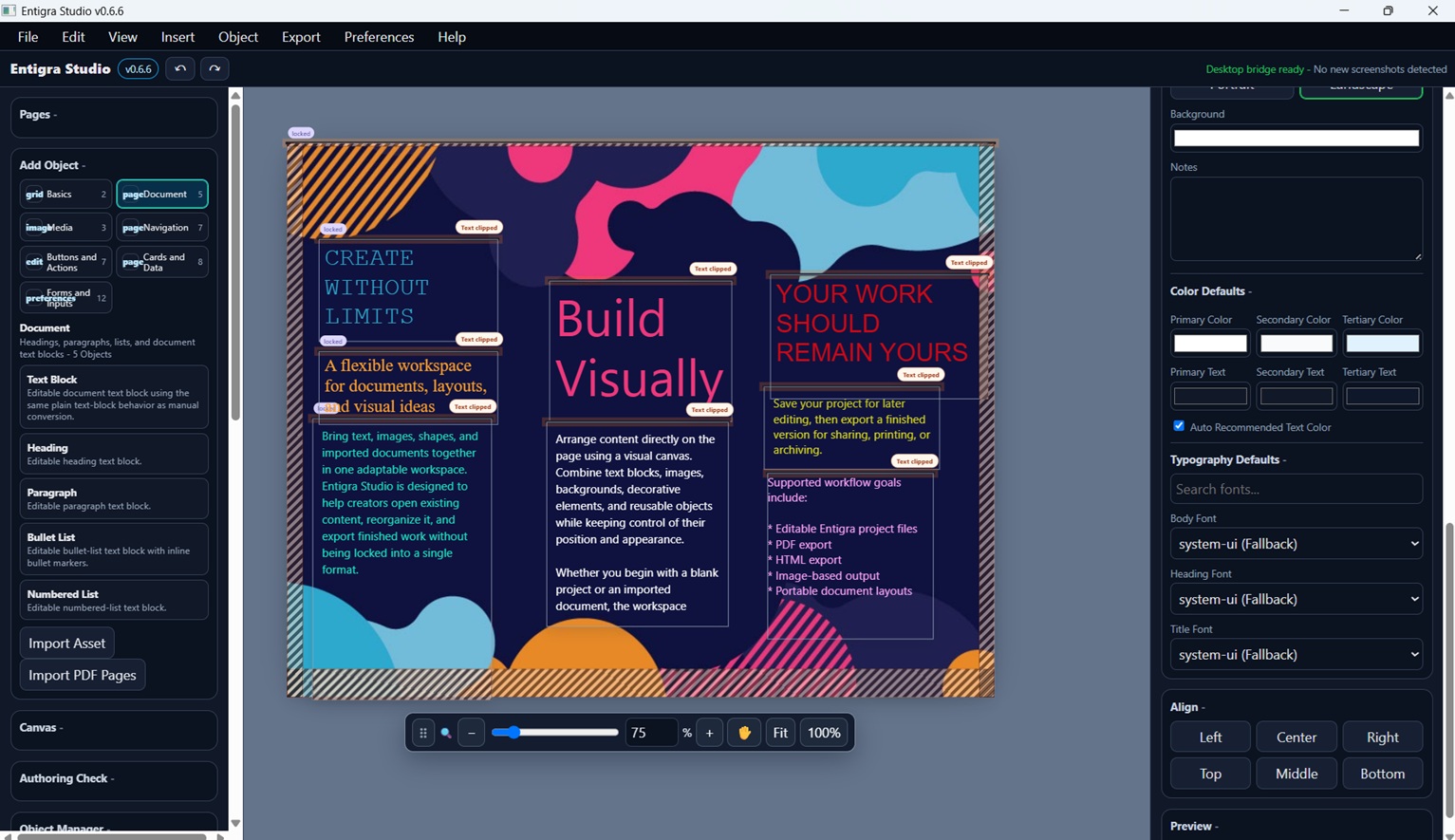
Entigra visual editing workspace with a multipage project in progress.
THE PROJECT
Create from an editable source project, preserve structure, and prepare the same work for multiple publishing formats without rebuilding it from scratch.
Arrange text, media, forms, cards, and reusable components on a direct-manipulation canvas.
Work with multipage projects, semantic documents, reusable assets, and recoverable save packages.
Export your work to PDF and other supported formats while keeping the original Entigra project editable for future revisions.
CONTINUE EXISTING WORK
Bring supported PDFs into Entigra as editable page content, then continue arranging text, images, and document objects inside the same visual workspace.
Import an existing PDF when you need to revise or reuse a document instead of rebuilding every page from the beginning.
Work with imported pages, text, images, and layout objects using Entigra's direct-manipulation editing tools.
Publish a revised PDF while keeping your Entigra source project available for later changes, new editions, or other output formats.
PDF import is under active development. Results can vary with document complexity, embedded fonts, scanned pages, and unsupported content. OCR for scanned documents is not included in the current beta plan.
THE BETA PROGRAM
Entigra's beta is planned as a focused testing program for people who want to use real projects, report what breaks, and help shape a practical creative workspace.
Join the waitlist and tell us what you would create, edit, or publish with Entigra.
Approved testers receive an email with access instructions and a private Discord invitation.
Use Entigra naturally. We value clear observations and real outcomes more than perfect bug reports.
Planned bug reporting is anonymous by default, shows a readable summary of what is shared, and lets you add optional details only when you choose.
STAY IN THE LOOP
Leave your email and we’ll let you know when there’s something new to try.
JOIN THE FIRST WAVE
Tell us how you would use Entigra. Applications will be reviewed as beta seats become available.
Complete the form and submit your waitlist request directly to Entigra.
Once approved, you will receive an email with next steps and your private tester invitation.
Your Discord account must use or verify the same email address as your approved waitlist application before beta access is granted.
BETA INFORMATION
Read the current program notes before access. These pages will expand as the reporting, diagnostics, release, and support systems are finalized.
LEGAL & PUBLIC RESOURCES
Privacy, copyright, accessibility, security, and other public notices will live on the dedicated resources page as they are completed.